
Projects and profitability
Track project amounts, customer payments, expenses, labor, subcontractors, balances, total profit and profit percentage.
BuildPro Management keeps projects, employees, labor, expenses, payments, receipts, photos and backups connected in one practical app.
Stop juggling five different apps. Payroll, crew chat, invoices, payments, projects and reports — all in one place.
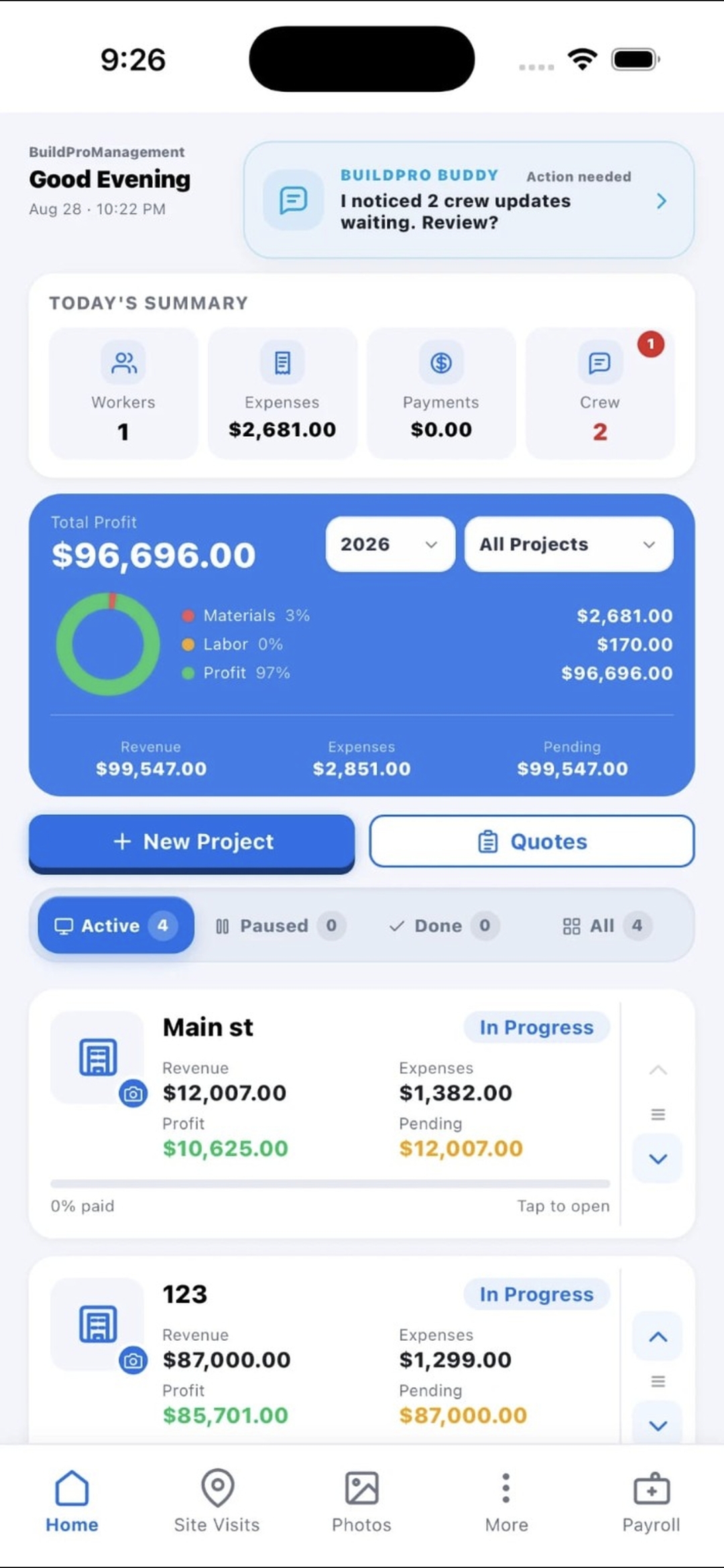
Your real dashboard — projects, profit, and today's activity in one screen.
📱 Also available in the app · 💻 Works for desktop users too
Get organized early, use the complete contractor workflow, and help shape a practical platform built around real jobsite needs.
“I built BuildPro for contractors who want every job, employee, receipt, payment, and photo organized in one place.”
Built to help contractors move from daily job activity to clear records without scattering information across texts, photos, receipts and notes.
Track project amounts, customer payments, expenses, labor, subcontractors, balances, total profit and profit percentage.
Add each employee once, save role and pay rate, then record who worked on each project with corrections available later.
Keep paperwork connected to the job and move from quote to contract, invoice and active project more clearly.
Keep expenses and project images with the right job, then create backups to help protect business records.
BuildPro follows the way contractors already work—set up the job, record the day, then understand the result.
Set the budget, quote, and crew before work begins.
Capture receipts, attendance, photos, and payments as they happen.
Know what each job earned without rebuilding the numbers.
Sign in with the same email account to work with your BuildPro projects on a laptop or desktop. A secure one-time code is emailed to you—no password to remember.
Billed separately from the mobile app — same rate whether or not you already have BuildPro on your phone.
Cancel anytime. No contracts.
The reason BuildPro Management exists, told from the working contractor’s point of view.
“Before BuildPro, a Home Depot receipt might stay in the car for three weeks.”
One job becomes three. Employees change locations, materials are purchased, payments arrive, and important records quickly end up in different places.
BuildPro Management is available for Android and iPhone.
BuildPro is designed for real jobsite conditions, with practical account, backup, and security controls.
Visit SupportThe Android app keeps your working records on the phone, so you can continue using core project features when a connection is weak or unavailable. Email sign-in, cloud synchronization, online payments, weather, and other connected services require internet and resume when you reconnect.
Not currently. The contractor or account owner records employee attendance inside BuildPro and can correct it later. Crew members can use secure crew links for supported tasks such as adding job photos, but independent employee clock-in is not yet offered.
Sign in on the new phone with the same BuildPro email to reconnect to the same cloud account and synchronized business records. Keep regular complete backups as an additional safeguard, especially for large photo or video libraries.
BuildPro uses encrypted HTTPS connections, one-time email codes, account-separated storage, and authenticated cloud access. Stripe processes subscription payment details, so BuildPro does not store card numbers. You should still protect your email account, device passcode, and backups.
For app questions, support or business inquiries, contact the BuildPro Management team.